PIXLATE
Turn an image into flowing generative art. Pixlate rearranges its colors into a new, painterly composition.
Select a piece below, then click the canvas to watch it paint itself
Pixlate began with a simple question: what if a photo could be treated like a box of paint instead of a fixed image? Upload a picture, choose a few creative settings, and Pixlate uses the colors already in that image to build a new artwork. The goal is not to copy the photo exactly. It is to keep its mood and palette while giving it a fresh, flowing shape. The idea grew from a love of oil paint, creative coding, and this video, which sparked the first experiment.
What is Generative Art?
Generative art is art made with a set of instructions. Instead of painting every mark by hand, the artist chooses the ingredients and the rules: the source image, the colors to keep, and the way they should move. The computer follows those rules to create the details. That means one image can become many different pieces, while still feeling connected to the original.
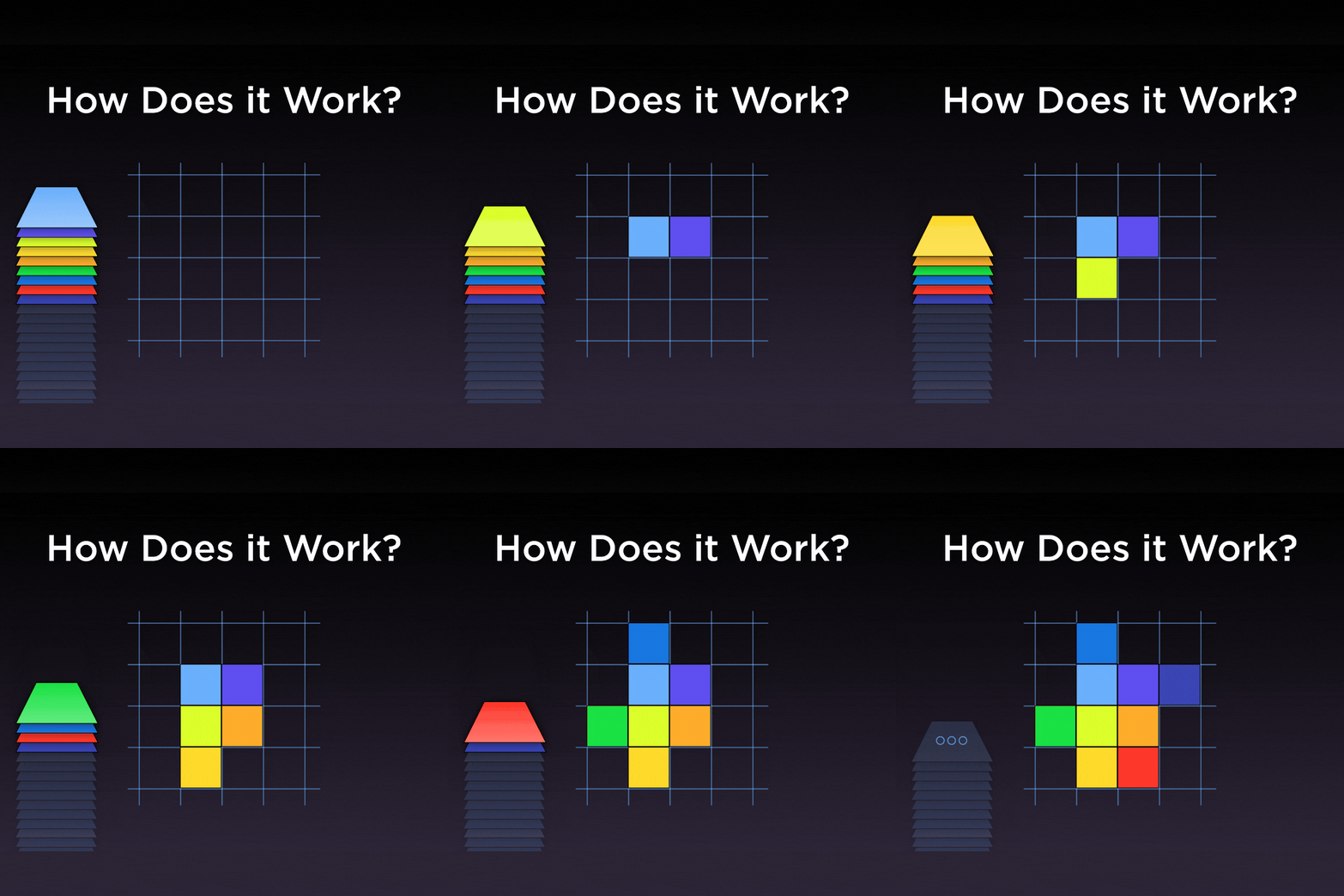
Here is the core idea: Pixlate reads the colors in your image, then places them again in a new order. Colors that feel alike are encouraged to sit near each other. Warm oranges can gather into a glow, cool blues can flow together, and small shifts in the settings can change where the new artwork begins to grow.
How Pixlate Makes Its Choices
Think of Pixlate as a careful gardener. It begins with a few starting points, then lets the artwork grow outward. At each step, it looks for a nearby color that belongs naturally with what is already there. This is why the result feels connected rather than like a random shuffle.
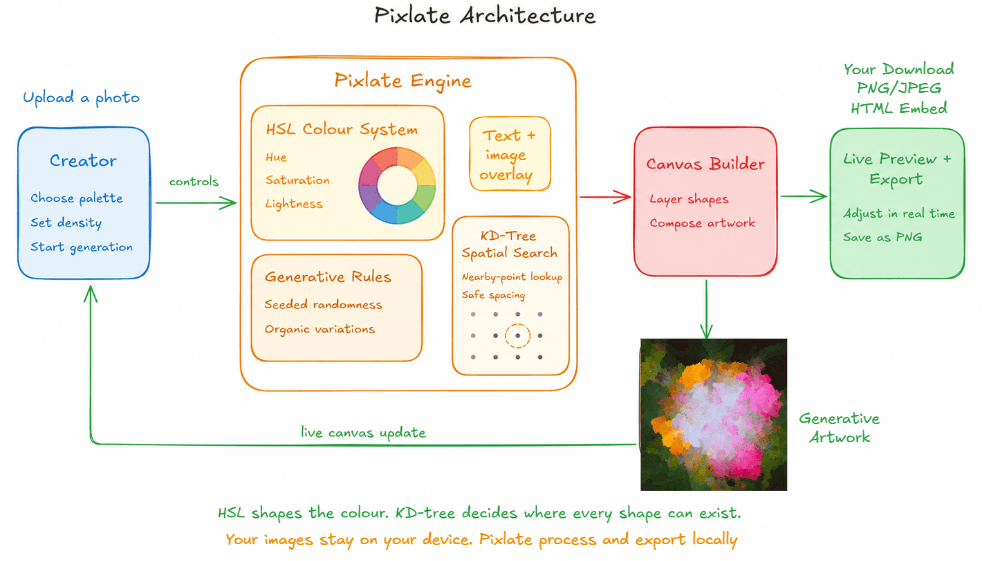
The diagram shows the two helpers behind that process. HSL is simply a friendly way to describe a color: its shade, how vivid it is, and how light or dark it is. The spatial search is the fast helper that checks nearby open space before placing the next part of the artwork. Together, they keep the palette coherent and the growth smooth, even on a large canvas.
You do not need to understand the technical details to use Pixlate. Choose an image, adjust the controls, and generate variations until one feels right. The tools change the process, not the original photo, so you can experiment freely and export the version you love.
To see the idea in action, start with Water Lilies by Claude Monet.
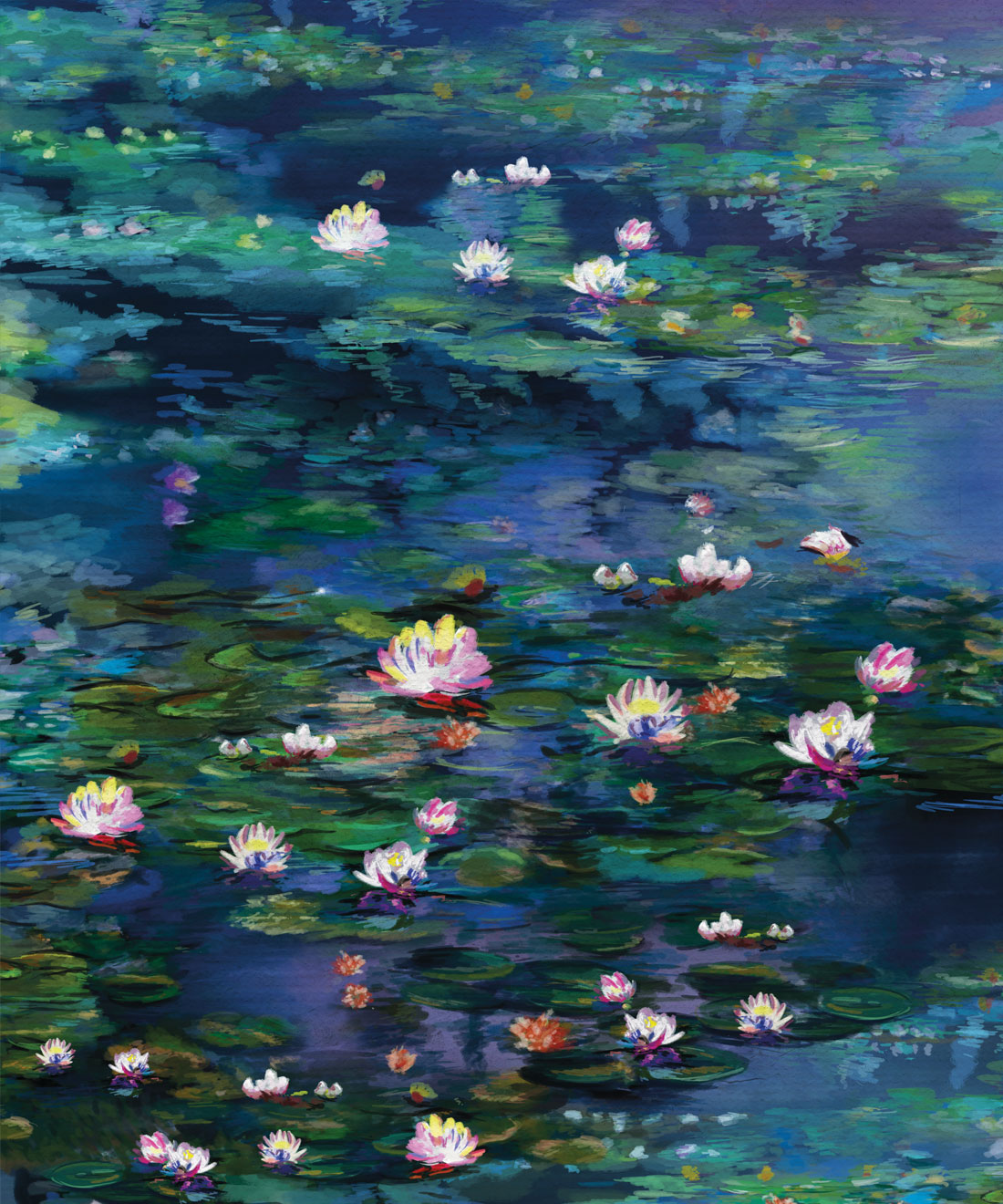
Pixlate takes the colors from the painting and gives them a new journey. It begins with a small starting point, then grows outward one small piece at a time. Similar colors tend to find each other, so the final image still carries Monet's soft blues, greens, and pinks in a completely new arrangement.
The steps above show the artwork taking shape. The streaks appear because nearby colors are placed together as the canvas grows, creating a result that feels closer to paint spreading than pixels being shuffled.
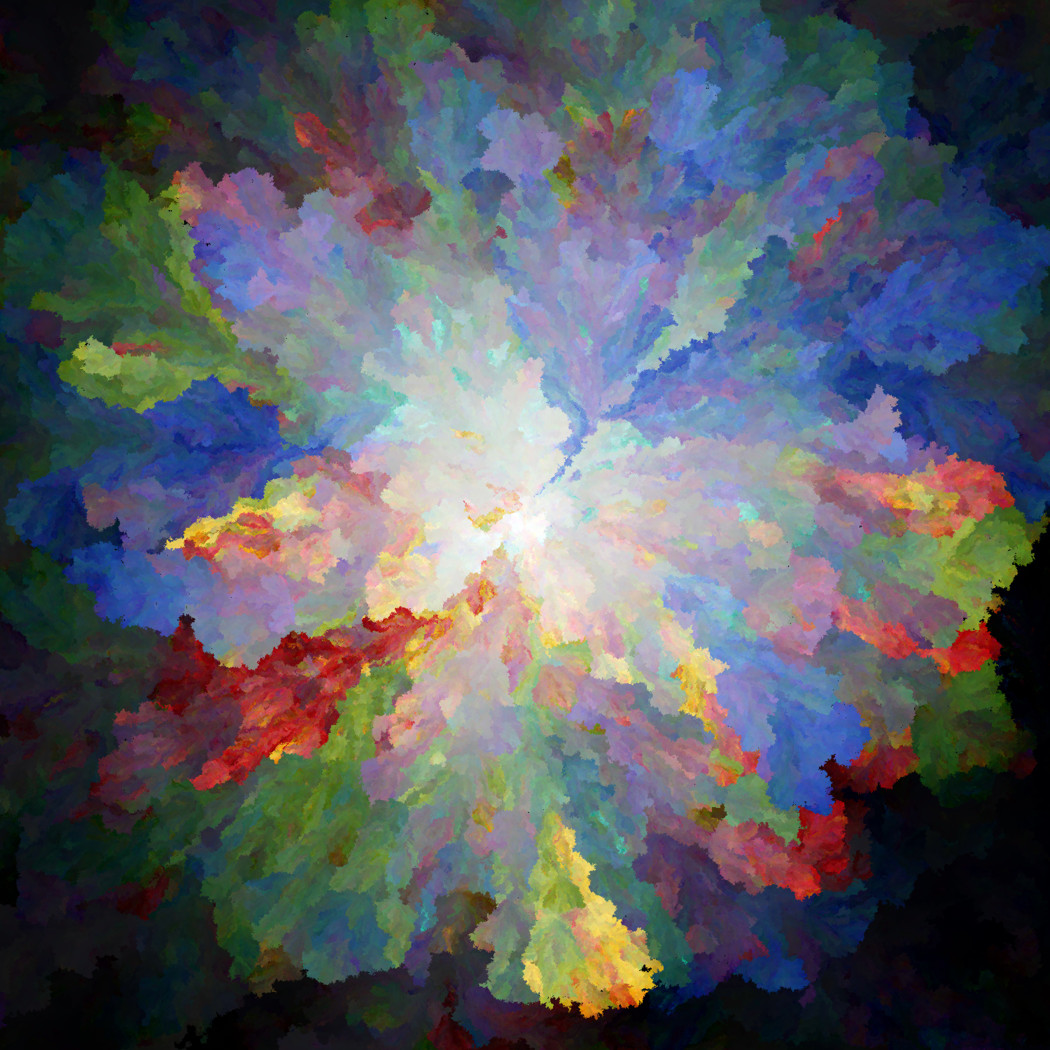
Small choices can create very different results. Changing where the growth starts, how many starting points are used, or how strongly similar colors pull together changes the flow of the finished piece. That is why generating a variation can feel like making a new painting from the same palette.
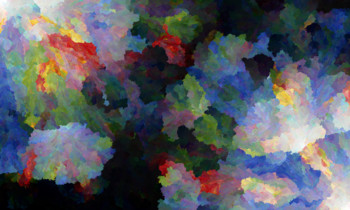
As before, but with two seed points placed in opposite corners of the canvas.
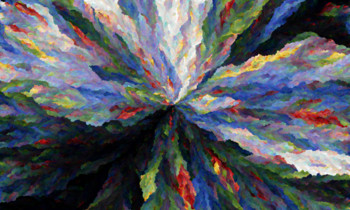
Colors shuffled randomly and placed via average selection.
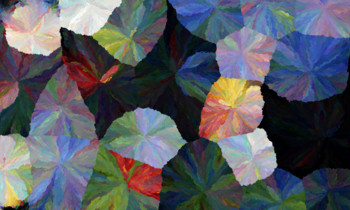
Seed points scattered across the canvas using poisson-disc sampling.
A large image contains a huge number of colors. To keep Pixlate responsive, it does not compare every color with every other color. Instead, it focuses on the most useful nearby options.
How It Stays Fast
- Find nearby options first: Pixlate organizes the available space so it can look close to the current growth point instead of searching the entire canvas every time.
- Keep related colors together: The next color is chosen using both its appearance and where it can fit, helping the image stay visually connected.
- Grow without waiting: This approach makes it practical to create dense, detailed art without turning the creative process into a long loading screen.
Behind the scenes, this is called spatial search. You do not need to use that term to enjoy Pixlate; it simply helps the artwork grow naturally while keeping the experience quick enough to explore ideas.
Make It Your Own
Pixlate is a meeting point between art and technology. The computer handles the careful, repeated work; you decide the image, the mood, and the moment when a variation feels finished.
There is no single correct result. Try a photo, change one setting, generate another version, and see what the colors want to become.
Arnab Jena · Dec 2024